Business Requirement to Enterprise Data Architecture
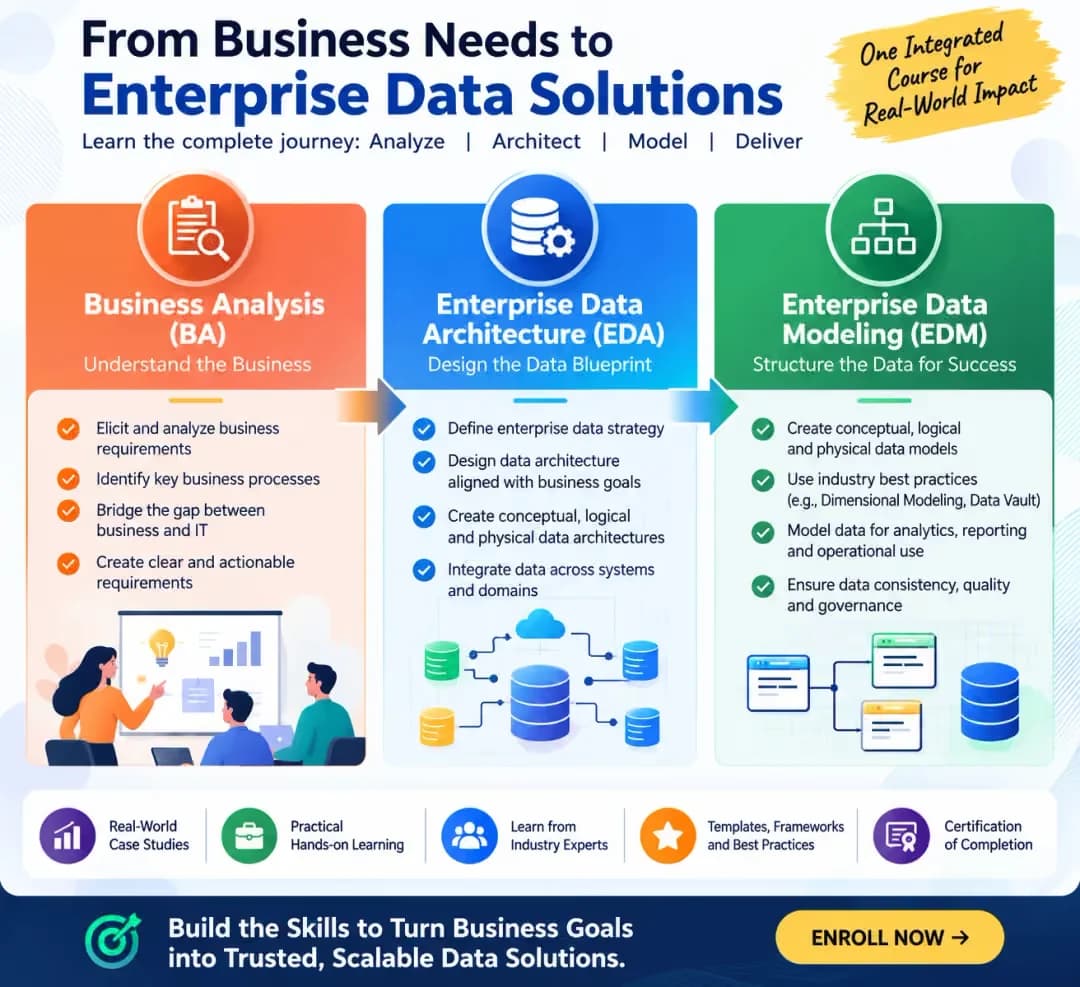
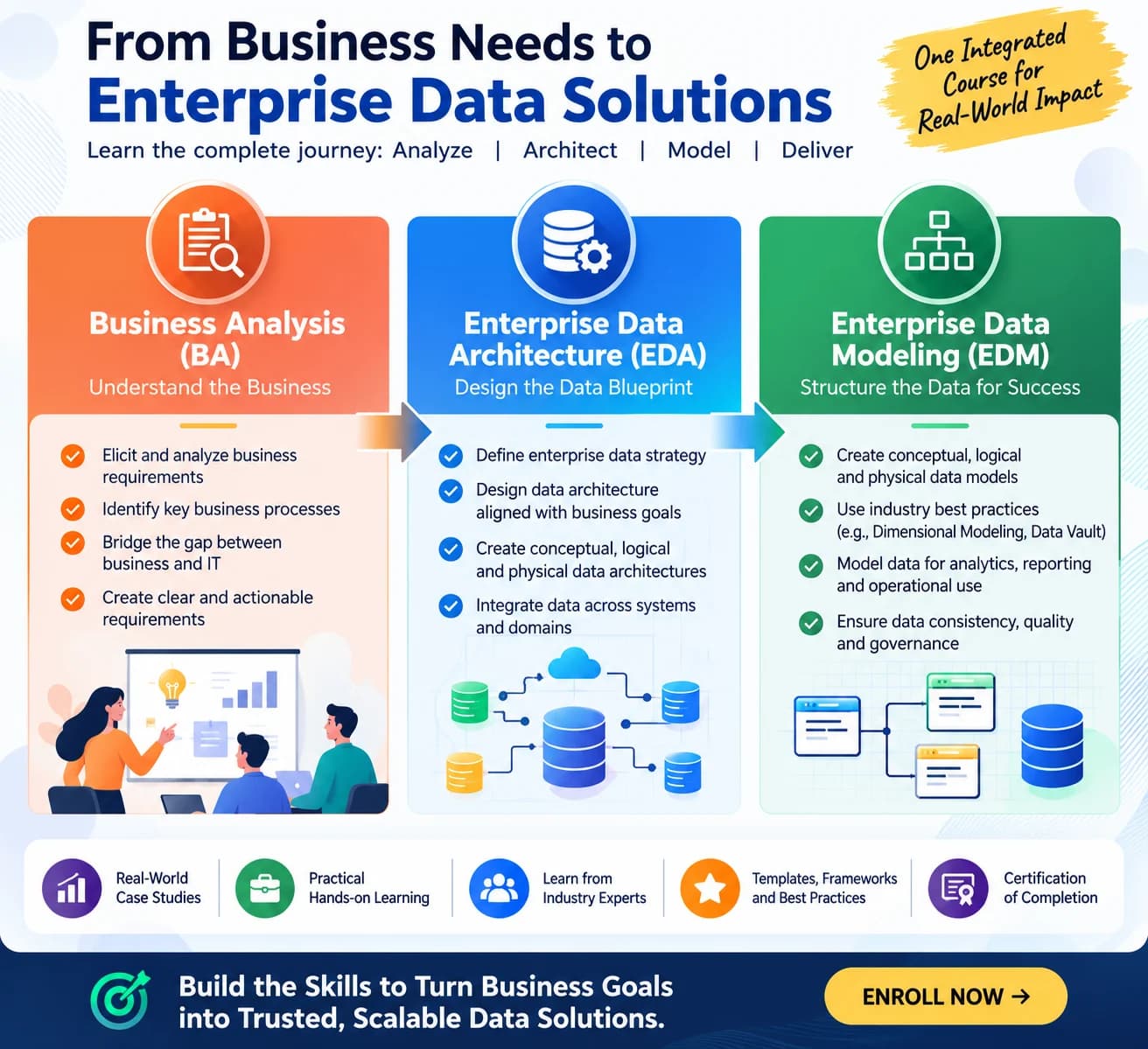
Enables experienced data engineers to solve multiple business problems of different roles like: Business Analyst (Requirement Gathering) | Data Architecture (Design Data Layers), | Data Modeler (Design Data Structures)
with the help of AI as the core executor.
Syllabus · 8 modules · Sat-Sun | 7 to 9 pm
- Business Requirements & Analysis · 3h
Introduction to enterprise data architecture
Business requirements versus functional and non-functional requirements
Role of the Business Analyst, Data Architect, Data Modeler and Data Engineer
Relationship between business architecture, application architecture and data architecture
Challenges in translating business language into technical solutions
Requirement gathering techniques
Business requirement documents (BRDs)
Functional and non-functional requirements
Business process identification
Business scenarios, use cases and user stories
Requirement classification and prioritization
Requirement ambiguity, duplication, inconsistency and gaps
Business events and their lifecycle
Business rules and decision points
Operational versus analytical requirements
- Business-to-Data Requirements · 3h
Business domains and subdomains
Data domain ownership
Master, reference, transactional and event data
Cross-domain data dependencies
Translating business activities into data requirements
Business objects versus data entities
Identifying data capture, update, retrieval and reporting requirements
Data attributes and business definitions
Data ownership and authoritative sources
Data retention and historical requirements
Operational, analytical and regulatory data needs
Source system identification
Source-to-business data mapping
Structured, semi-structured and unstructured data
Data profiling and source data assessment
Identifying missing, duplicate and conflicting data
Source system assessment and gap analysis
- Enterprise Data Architecture Fundamentals · 3h
What is enterprise data architecture?
Data architecture principles and standards
Centralized, decentralized and federated architectures
Enterprise data architecture building blocks
Data architecture patterns
Data architecture artifacts and documentation
Landing and staging layers
Bronze, Silver and Gold architecture
Enterprise Data Warehouse architecture
Operational Data Store (ODS)
Data Lake and Lakehouse
Data marts and semantic layers
Batch versus streaming architecture
Data integration patterns
ETL versus ELT
API-based and event-driven integration
Data replication and CDC
Data transformation and enrichment
Error handling and recovery
Data latency and integration SLAs
- Conceptual and Logical Data Modeling · 3h
Purpose of conceptual data models
Identifying business entities
Business entity relationships
Relationship types and cardinality
Enterprise conceptual data modeling
Logical data modeling methodology
Entities, attributes and relationships
Primary keys, alternate keys and candidate keys
Foreign keys and referential integrity
Identifying, non-identifying and recursive relationships
Associative entities and many-to-many relationships
Normalization: 1NF, 2NF and 3NF
Enterprise-wide entity reuse
Common business entities and shared data structures
Master data and reference data modeling
Transaction, event and status modeling
Effective dating and historical attributes
Address, contact and party modeling
Hierarchies and recursive relationships
Modeling complex business relationships
Model validation and quality checks
Logical model review and stakeholder approval
- Enterprise Data Modeling Approaches · 3h
Introduction to dimensional modeling and Kimball methodology
Star schema and snowflake schema
Fact tables and dimension tables
Identifying business processes and fact table grain
Transaction, periodic snapshot and accumulating snapshot facts
Conformed dimensions
Role-playing, junk and degenerate dimensions
Slowly Changing Dimensions (SCD Types 0, 1, 2 and 3)
Introduction to Data Vault 2.0 architecture
Business Vault versus Raw Vault
Hub, Link and Satellite structures
Business keys and hash keys
Satellite historization and load tracking
Effectivity and record tracking satellites
Multi-active satellites
Point-in-Time (PIT) and Bridge tables
Enterprise data warehouse integration patterns
Data Vault to dimensional data mart transformation
Hybrid enterprise data architecture
- Physical Architecture and Data Platform Design · 3h
Logical versus physical data models
Mapping logical entities to physical tables
Indexing and partitioning strategies
Denormalization and performance considerations
Database-specific implementation considerations
Forward and reverse engineering using ER/Studio
Data warehouse, data lake and Lakehouse architecture
Cloud data platform design considerations
Cloud storage and compute separation
Data ingestion and transformation services
Data platform scalability and elasticity
Platform selection based on business and technical requirements
Batch and streaming processing architecture
Data storage design and lifecycle
Data partitioning and clustering
CDC and historical data management
Data transformation architecture
Query performance and workload optimization
Data retention and archival
Technical architecture decisions and trade-offs
- Data Governance, Integration and Lineage · 3h
Data governance framework
Data ownership and stewardship
Data governance operating model
Business glossary and data dictionary
Technical and business metadata
Master data management (MDM)
Reference data management
Data classification and sensitive data identification
Data quality rules and validation
Data profiling and reconciliation
Data privacy and security principles
Role-based and attribute-based access control
Data masking and encryption
Personally identifiable information (PII) classification
Data retention and deletion requirements
Regulatory and audit requirements
Source-to-target mapping (STTM)
Transformation rules and derivation logic
Data lineage: source to report
Data reconciliation and auditability
ETL/ELT specifications
Documentation and traceability
- AI-Assisted Architecture and Capstone Project · 3h
Introduction to AI-assisted data architecture
AI-assisted BRD analysis and requirement extraction
Prompt engineering for business requirement analysis
Identifying entities, attributes and relationships using AI
Generating business rule catalogues
AI-assisted conceptual and logical model generation
AI-assisted source-to-target mapping
Analyze the business requirements and processes.
Identify business domains, entities and business rules.
Design the enterprise data architecture.
Develop a Data Vault and dimensional model for selected processes.
Prepare data flows, STTM and lineage.
Prepare the implementation blueprint.
Enterprise architecture walkthrough
Conceptual and logical model review
Data integration and modeling strategy review
Architecture decision documentation
Capstone project presentation
Final assessment and course completion
Business Requirement Analysis.
Business-to-Data Mapping.
Enterprise Data Architecture Design.
Enterprise Data Modeling.
Dimensional Modeling.
Data Vault 2.0 Modeling.
Cloud Data Platform Architecture.
Data Integration and Lineage.
Data Governance and Quality.
AI-Assisted Data Architecture.
Architecture Documentation.
End-to-End Architecture Delivery.